


Crafto
4.6514.00 Reviews
App Specs
- Version
- 11.2.2
- Updated On
- License
- Free
- Downloads
- 100,000,000+
- Developer
- Kutumb App
- Categories
- Art & Design
- Platform
- Android, iOS
Screenshots
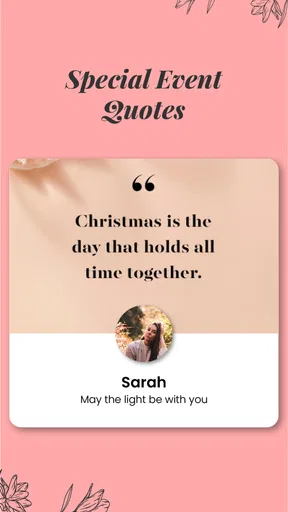
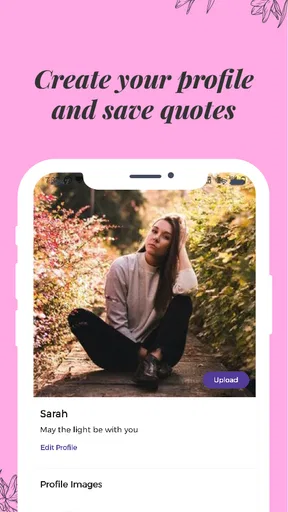
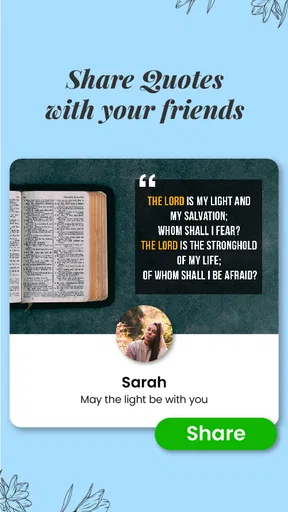
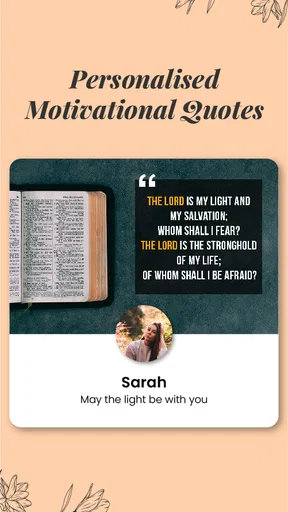
 Analysis by AppCompare
When I first stumbled upon Crafto, I was immediately intrigued. As someone who's always on the lookout for apps that let me unleash my creativity, Crafto seemed like a perfect fit. After spending some quality time with it, I’m here to share my thoughts and discoveries.
A more focused kind of creativity
That first impression needs an important qualification: Crafto is best understood as a quick way to make personal, shareable quote images, not as an all-purpose studio for graphic design. Its appeal is the short distance between an idea and a finished greeting or status image. The trade-off is that anyone expecting a full canvas, fine-grained layout control, or a broad illustration workspace may find the concept narrower than the word “creative” suggests.
For a practical test, I would start with a simple message I actually want to send, rather than browsing indefinitely for inspiration. A birthday wish, a note of encouragement, or a daily greeting gives the app a clear job: help me turn a few words and a chosen photo into something more personal than plain text. That use case is also a good way to judge whether its ready-made approach suits me.
Guides and Analysis on Crafto
Where a personal touch matters
The name-and-photo angle makes the most sense when a message is meant for one person or a familiar group. I can imagine preparing a cheerful image for a family chat before the day gets busy, or making a greeting for someone whose name gives the design a personal feel. It is less compelling when I need a polished brand asset, a consistent campaign, or a design that must follow exact workplace specifications.
A useful habit is to decide on the recipient and the message before choosing a design. That keeps the result from feeling like a generic quote with a name dropped into it. I would also check that the chosen photo remains legible behind the text: a visually busy image can compete with the words, while a simpler background tends to make the message easier to read on a phone.
Crafto is a free app in the Art & Design category, developed by Kutumb App. Its broad reach is reflected in more than 100 million installs, while its average score is 4.6 from around 874,000 ratings. Those figures suggest that the quick, personal-image idea has found a large audience, but they do not mean every user wants the same level of control. The app is rated for Everyone, and it includes in-app purchases, so I would treat the free starting point and optional paid items as separate considerations rather than assuming every element is included at no cost.
Choosing it over a blank-canvas editor
Compared with a general design editor, Crafto’s strength is its specific purpose: it is geared toward quote images and personal greetings, where a prepared starting point can save effort. A blank-canvas tool is usually the better fit when I want to adjust every detail, combine many kinds of visual elements, or build a reusable layout from scratch. A basic photo editor is simpler still, but it may leave me arranging text and image elements manually.
Worth Reading Before You Choose

ESPN’s Live Game View Makes Following Close Games Easier

QuizzLand Review: A Good Fit for Short Trivia Breaks, Not Every Player

Basketball Stars: Multiplayer Is Fast, but Can It Recover When Matches Go Wrong?

WEBTOON Turns Phone Updates Into a Better Reading Routine

Link to Windows Runs on Shared Habits, Not Social Feeds

How Alibaba.com Dominates the B2B Marketplace
That distinction matters if I am deciding what to install. For occasional messages, a focused template-based workflow can be more approachable than learning a broad design app. For a small business, a social media manager, or anyone who needs careful brand consistency, I would look for an editor that makes precise typography, alignment, and repeatable layouts central to the experience. Crafto’s appeal is convenience for personal expression, not proof that one app can replace every tool in the category.
Small workflow choices that improve the result
I would keep a few practical checks in mind before sharing an image. Read the full quote after adding the name, since longer names or messages can change the balance of a design. Look at the image at the size it will appear in a chat, not only while editing; small text and low contrast are easy to miss on a larger preview. If the message is for a particular person, a photo with a clear subject and uncluttered background is often a safer starting point than a busy snapshot.
There is also a privacy-minded reason to be selective with photos: use an image you are comfortable sharing with the intended audience, especially when the finished graphic may be forwarded beyond the original chat. I would avoid treating a personalized image as a private message by default. The recipient can save or pass along an image just as they can with any other shared picture.
Who is likely to enjoy it
I see Crafto as a good fit for people who regularly send greetings, motivational messages, or short personal notes and want a more visual way to do it. It may also suit someone who enjoys browsing designs but does not want to start every image from an empty page. If I only need to make a graphic once in a while, the focused format could be more convenient than learning a feature-heavy editor.
I would skip it if my main goal were professional illustration, detailed photo manipulation, or exact control over every layer and measurement. It is also not the right choice if I prefer writing a message myself and do not want quote-led designs to shape the result. In those cases, a dedicated image editor or a plain messaging app may be a better match, even if it takes more effort to create something visually distinctive.
Getting Started with Crafto
Diving into Crafto is like stepping into a world where creativity knows no bounds. The app is available on both Android and iOS, making it accessible for almost everyone. Setting it up was a breeze – a quick download from the app store, a simple registration process, and I was ready to explore.
User Interface and Experience
The first thing you'll notice about Crafto is its sleek and intuitive user interface. The developers have clearly put a lot of thought into making the app user-friendly. The main dashboard is well-organized, with easy access to all the features you need. Whether you're a seasoned designer or a beginner, navigating through Crafto feels natural and effortless.
I particularly loved the vibrant color palette and the modern design elements. It’s not just about functionality; it’s about making the user experience enjoyable. The app's responsiveness is also commendable – no lagging or crashing, even when working on complex projects.
Features Galore
This is where Crafto truly shines. The app is packed with features that cater to a variety of creative needs. Whether you’re into graphic design, digital painting, or crafting, there’s something here for everyone. Here are some of the standout features:
- Customizable Templates: Crafto provides a plethora of templates that can be easily customized to suit your project needs. From posters to social media graphics, the options are endless.
- Advanced Editing Tools: The app offers a range of tools that allow for precise editing. Brushes, layers, filters – you name it, Crafto's got it.
- Collaboration Capabilities: Working on a group project? Crafto's collaboration feature lets you share your work with others seamlessly. You can brainstorm, edit, and finalize your projects together in real-time.
- Resource Library: With an extensive library of fonts, icons, and stock images, you’ll never run out of inspiration.
Performance and Reliability
I tested Crafto on both an Android and an iOS device, and the performance was consistently impressive. The app runs smoothly without any hiccups, even when multitasking. The developers have clearly optimized it for performance, ensuring that even complex tasks don’t slow down your device.
Reliability is key for any app, and Crafto doesn’t disappoint. I didn’t encounter any bugs or crashes, which speaks volumes about its stability. Updates are frequent, ensuring users have the latest features and improvements.
On Android, the current version is 10.3.9 and it supports devices running Android 5.0 or later. It first appeared on October 30, 2021. I would check the available version on my own device before relying on a particular workflow, since app versions and device compatibility can affect what I see. If I am installing primarily to make a one-off greeting, I would also take a moment to understand which options are free and which are offered as in-app purchases; those purchases range from ten cents to $499.99 per item, a wide span that makes checking an individual item’s cost more useful than assuming all extras are similarly priced.
Making it part of an ordinary day
A realistic routine is to create a greeting when I have a few quiet minutes, then share it when it feels relevant rather than sending a design simply because the app offers one. For example, if a friend has had a difficult week, I could choose a short supportive line, personalize the image, and send it directly in the chat where we already talk. The personal detail may make that message warmer, but the words still need to sound like me; a template cannot replace a sincere note.
For recurring occasions, I would avoid saving up a pile of nearly identical images and sending them all at once. A little restraint helps each one feel intentional. I would also keep a plain-text version of an important message when clarity matters, since image text may be harder to read for someone using a small screen or assistive settings. The image can add warmth, while the written message carries the essential information.
Questions I would settle before relying on it
Is it free to try? Yes, Crafto is free to download, but it offers optional in-app purchases. I would check the price shown for any specific item before choosing it, rather than treating the app’s free status as a promise that every design element costs nothing. Is it suitable for children? Its Everyone rating means it is classified for a general audience, though a parent can still decide whether a quote-and-image app fits a child’s needs and how they want purchases handled.
Can it replace a full design program? I would not count on that. The strongest reason to choose Crafto is the quick personal quote-image use case, while a dedicated editor is more appropriate when a project depends on detailed control, professional consistency, or a custom composition. Does it make sense for occasional use? It can, especially if I want an easy route to a greeting; if I rarely share this kind of image, a photo editor I already use or a simple text message may be enough.
Community and Support
One of the things I appreciate about Crafto is the vibrant community that comes with it. There’s an active user base that shares tips, tutorials, and inspiration. Whether you're looking for advice or simply want to connect with fellow creatives, the community is a valuable resource.
In terms of support, Crafto offers a comprehensive help center. From FAQs to detailed guides, it’s easy to find solutions to any issues you might encounter. The support team is responsive and eager to assist, which is always a plus.
Final Thoughts
So, is Crafto worth downloading? Absolutely. It’s a versatile app that offers something for every creative mind. Whether you’re designing for work or play, Crafto provides the tools and community to help your ideas come to life. It’s a must-have for anyone looking to enhance their creative projects.
If creativity is your thing, give Crafto a try. You might just find it becomes your go-to app for all things creative.
My recommendation is more specific: I would try it if I often turn short messages into shareable images and value a guided starting point over complete design freedom. Its 4.6 average rating and audience of more than 100 million installs show that the idea has broad appeal, but the right choice still depends on what I need to make. For quick, personal greetings, it has a clear purpose; for intricate artwork or tightly controlled layouts, I would reach for a more specialized editor.
For me, that is the fairest way to approach Crafto: as a convenient creative companion for a small, familiar task, rather than a replacement for every art and design app. The app’s Everyone rating and free entry point make it easy to consider, while optional purchases mean I would stay deliberate about what I select. If a personal quote image would genuinely help me express something, I would give it a try; if I only want a blank canvas, I would choose a tool built around that instead.
Pros
- User-friendly interface for easy navigation.
- Wide variety of crafting tools available.
- Offline mode for uninterrupted creativity.
- Regular updates with new features.
- Customizable templates for quick projects.
Cons
- Limited free resources; in-app purchases needed.
- Occasional lag on older devices.
- Ads can be intrusive at times.
- Lacks collaboration features for group projects.
- Some tools require a steep learning curve.
FAQs for Crafto
What is Crafto and what can I do with it?
Crafto is a versatile app designed to unleash your creativity by providing a comprehensive platform for crafting projects. Users can explore various DIY ideas, follow step-by-step tutorials, and share their own creations with a community of like-minded enthusiasts. It's perfect for hobbyists, artists, and anyone looking to dive into creative projects.
Is Crafto free to use, or are there in-app purchases?
Crafto is free to download and offers a variety of features at no cost. However, it does include in-app purchases for premium content such as exclusive tutorials, advanced tools, and ad-free experiences. These optional purchases enhance the app's functionality for users seeking more in-depth crafting experiences.
What platforms is Crafto available on?
Crafto is available on both Android and iOS devices. You can easily download it from the Google Play Store or the Apple App Store. The app is optimized for smartphones and tablets, ensuring a seamless crafting experience across different devices.
Does Crafto require an internet connection to function?
While Crafto offers offline access for basic features, an internet connection is necessary for downloading new tutorials, community interaction, and accessing premium content. This ensures you always have fresh ideas and resources at your fingertips, enhancing your crafting journey.
How does Crafto support community interaction?
Crafto fosters a vibrant community by allowing users to share their creations, comment on projects, and collaborate with other crafters. You can follow your favorite creators, participate in challenges, and gain inspiration from a global network of craft enthusiasts, making it a dynamic and interactive platform.


